Introduction
By 2027, the analyst consensus is that fewer than one in five North American businesses with under 250 employees will still operate a traditional PBX.
Statista cloud communications market data confirms adoption is accelerating faster than most forecasts predicted. The migration to a VoIP phone system is no longer a future decision — for most organizations, it is a procurement question for this quarter.
This guide is written for the people doing that procurement: office managers, IT leads, COOs, and founders evaluating their first cloud deployment or replacing legacy hardware.
It covers what a modern VoIP phone system delivers in 2026, the trade-offs between deployment models, the features that matter, and the pricing patterns that separate a good provider from a regrettable one.
- What a VoIP phone system is — and why the infrastructure question matters
- Cloud-hosted, on-premise, and hybrid: the honest trade-off framework
- 10 must-have features to verify before signing any contract
- Pricing patterns: what $25–$35 per seat actually covers and what it does not
- Migration timeline: 4 weeks from discovery to cutover for most SMBs
- Security baselines: TLS, SOC 2, MFA, E911 — what to treat as deal-breakers
What Is a VoIP Phone System?
A VoIP phone system is a business telephony platform that routes calls over the internet instead of through traditional copper or fiber telephone lines.
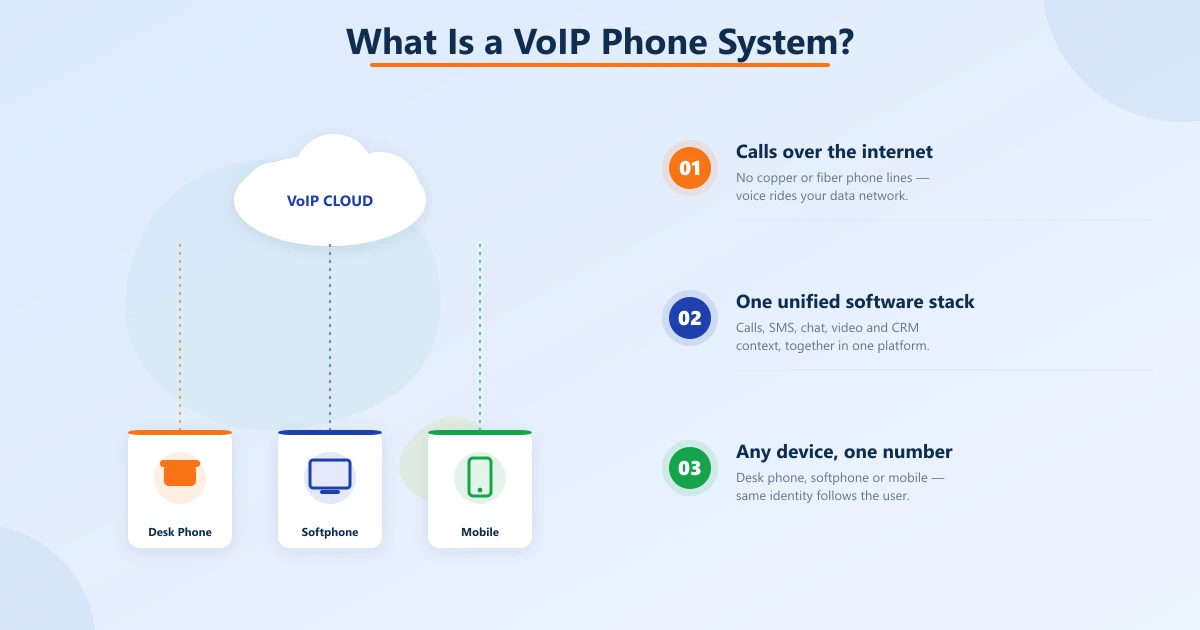
The software handles call setup, routing, voicemail, queueing, and unified communications features like SMS, chat, and video. The hardware can be a desk phone, a softphone on a laptop, a mobile app, or all three.
The point of moving to a VoIP phone system is not the technology shift itself.
It is everything that becomes possible once voice lives on the same network and software stack as the rest of the business: native CRM integration, structured call data, AI-driven automation, remote-friendly mobility, and predictable cost scaling.
A modern business phone system gives every employee a single number that follows them across devices, surfaces customer context on every incoming call, and integrates with the helpdesk and email tools the team already uses.
The legacy PBX cannot match any of that.
Cloud-Hosted vs On-Premise vs Hybrid
Three deployment models exist in 2026, and most buyers pick the wrong one for the wrong reason. The default in 2026 is cloud-hosted. The exception list is short and specific.
- Cloud-hosted (default). Provider runs the cloud-hosted business phone system; you pay per seat. No on-site hardware beyond phones — or none at all with softphones. Fast to deploy, easy to scale, predictable monthly cost. Best for roughly 90% of SMBs and mid-market organizations.
- On-premise. You own and operate the PBX in your office or data center. Sensible only when regulatory or security mandates require it, or when you have an existing IT team that already runs PBX hardware well.
- Hybrid. Cloud-hosted call control with on-premise session border controllers. Often used with SIP trunking for hybrid deployments to retain favorable carrier contracts or local survivability during internet outages.
Essential Features Every Modern System Includes
Feature lists are long. Focus on the ones that change daily work for the team.
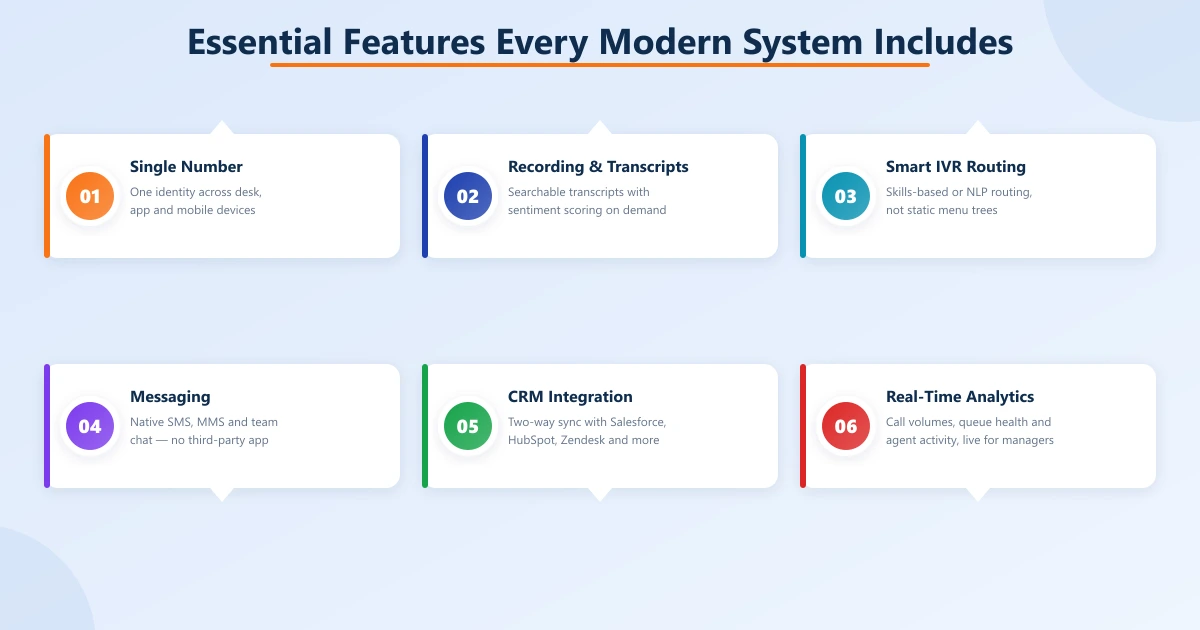
If any of these require a higher tier or an add-on, factor that into total cost of ownership — Statista's VoIP market data shows feature completeness is the top evaluation criterion for business buyers in 2026.
- Single business number per user across devices. Desk phone, laptop, mobile — same identity, same voicemail.
- Call recording and transcription. Searchable transcripts with sentiment scoring on demand.
- Smart IVR and call routing. Skills-based or NLP-driven routing instead of static menu trees.
- SMS, MMS, and team messaging. Native, not via a third party.
- Video conferencing. Web-based; no downloads for external participants.
- CRM and helpdesk integration. Bi-directional sync with Salesforce, HubSpot, Zendesk, and similar tools.
- Mobile app with feature parity. What works on the desk phone works in the app — including transfers, recording, and conferencing.
- Real-time analytics. Call volumes, queue health, agent activity, available to managers without IT involvement.
- Number porting. Bring your existing numbers; verify it is included, not charged per port.
- Reliability SLA and published uptime. Look for status pages with historical incidents.
Pricing Models for SMBs and Mid-Market
Most VoIP phone system providers price per user per month, and the published rate sits between $20 and $50 per seat for a mid-tier plan. Check transparent business VoIP pricing across tiers before committing.
For most SMBs, a $25–$35 per user per month plan with included SMS, mobile app, and basic integrations covers 90% of needs. For contact center operations, expect higher per-seat costs with more sophisticated routing and analytics.
- Tiered plans. Basic / Pro / Enterprise structures gate features behind higher tiers. Confirm which tier your must-haves live in.
- Annual vs monthly billing. Annual usually offers 15–20% discount but locks you in.
- User minimums. Some plans require minimum seats; smaller teams pay for unused licenses.
- Add-on costs. Toll-free minutes, international calling, AI features, recording storage — often line-itemed separately.
- Hardware cost. Desk phones (around $100–$300 per device) are a one-time cost. Many providers rent them on monthly subscriptions instead.
Switching from Legacy PBX: What to Expect
The migration itself is shorter than buyers expect — typically 2–4 weeks for businesses under 100 employees. The most common migration mistake is skipping the parallel run.
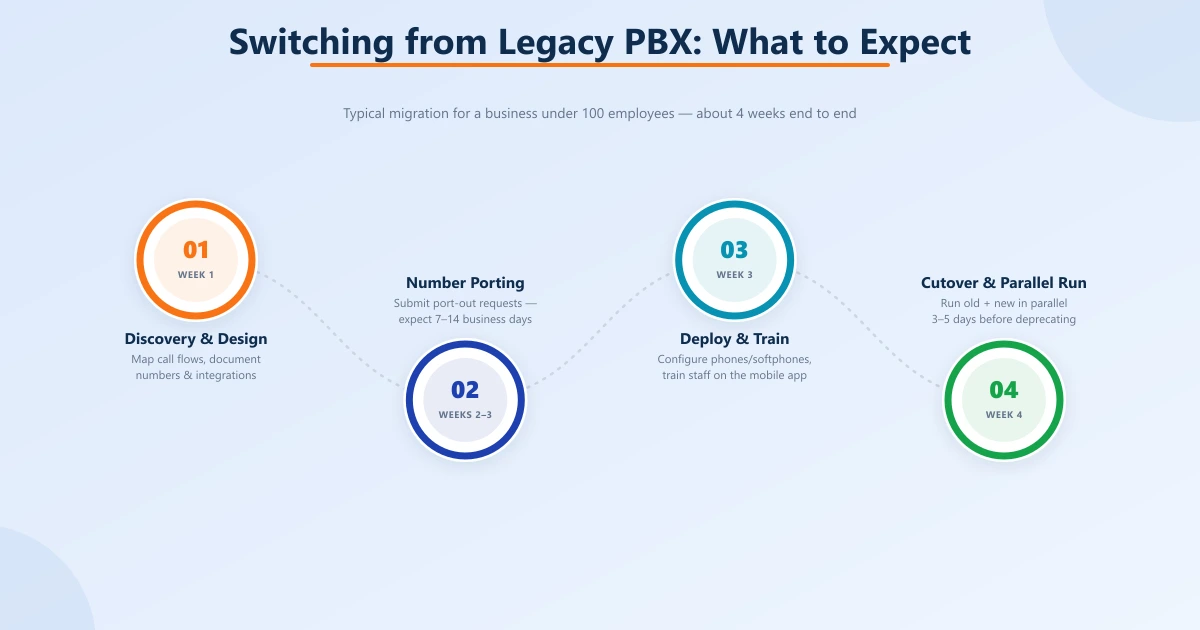
The second-most common is not training staff on the new mobile app before cutover. Plan both, document the runbook, and assign an owner.
- Discovery and design (week 1). Map call flows, document existing numbers, identify integration requirements.
- Number porting (weeks 2–3). Submit port-out requests to your current carrier. Expect 7–14 business days.
- Phone deployment and training (week 3). Configure desk phones or softphone clients. Train staff on the mobile app and new transfer and recording flows.
- Cutover and parallel run (week 4). Test calls, monitor quality, run old and new VoIP phone system in parallel for 3–5 days before deprecating the old PBX.
Common Mistakes Buyers Make
Patterns that repeat in regret stories from VoIP phone system migrations.
Teloz, a VoIP carrier operating both wholesale and retail networks since 2005, ships a business phone system on top of infrastructure the company runs itself — which is why the carrier-quality question gets a different answer than it does at most resellers.
Whether that matters for your business depends on whether voice is core to your customer experience.
- Buying on per-seat price alone. Cheap seats often hide expensive add-ons. Total cost over 24 months tells the real story.
- Ignoring carrier quality. A VoIP phone system is only as good as the underlying carrier. Ask who handles termination and whether voice is owned end-to-end or resold.
- Skipping the call-quality test. Run two weeks of real traffic through a trial before signing. MOS scores below 4.0 should disqualify the provider.
- Underestimating mobile use. If half the team works hybrid or uses a BYOD policy, mobile feature parity is non-negotiable, not optional.
- No clear E911 plan. Cloud VoIP requires physical address registration for emergency calls; verify the workflow during onboarding.
“A VoIP phone system is no longer a debate; it is a deployment plan. The work is choosing the model, the provider, and the feature set that match how your team actually works.”
Security and Compliance Essentials
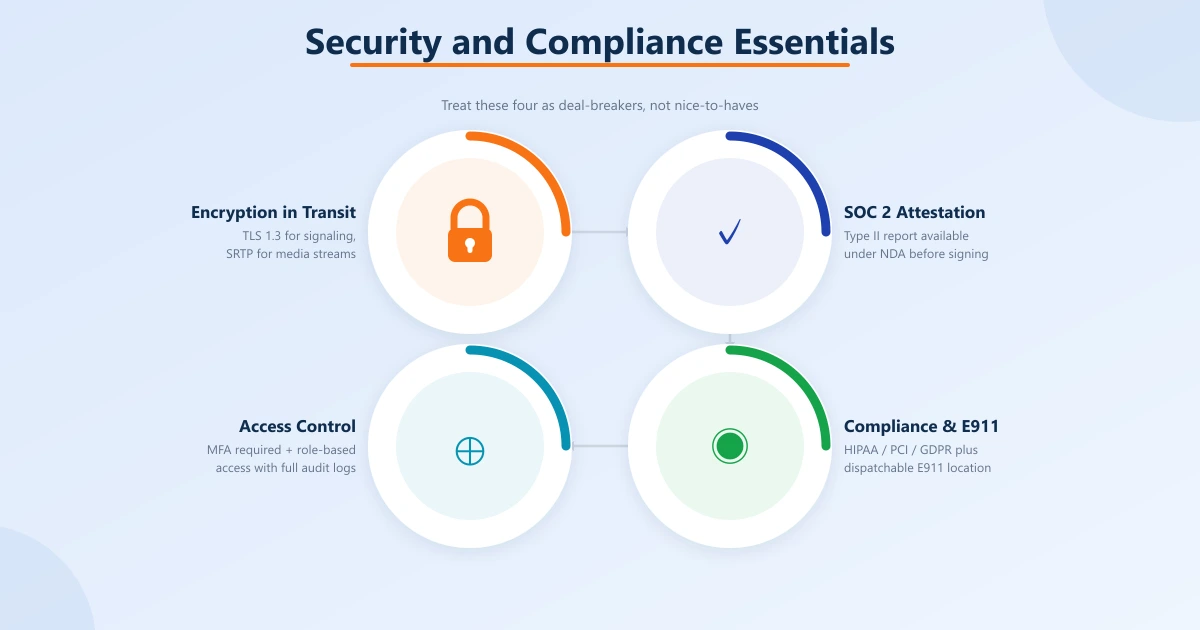
A modern VoIP phone system handles sensitive voice data, and the procurement conversation should treat it that way. Treat these as deal-breakers, not nice-to-haves.
The cost of a security incident on a phone system is rarely contained to phone calls — it becomes brand damage, regulatory exposure, and the kind of remediation work that consumes a quarter.
- Encryption in transit. TLS 1.3 for signaling, SRTP for media. End-to-end where regulatory profiles require it.
- SOC 2 Type II or equivalent attestation on the provider side. Ask for the report under NDA before signing.
- Role-based access control for the admin console, with full audit logs and configurable retention.
- Multi-factor authentication required for all administrative access — not optional.
- Region-specific compliance where applicable: HIPAA for healthcare, PCI DSS for payment-handling workflows, GDPR or local equivalents for EU customers.
- E911 emergency calling with dispatchable location for every endpoint, refreshed automatically when users move locations.
Conclusion
A VoIP phone system is no longer a debate; it is a deployment plan. The work is choosing the model, the provider, and the feature set that match how your team actually works — and avoiding the cheap-seat trap that makes year two more expensive than year one.
Map your call flows. Test on real traffic. Verify number porting is free. And pick a provider whose network is as serious as its software.
See how Teloz delivers business VoIP at teloz.com.


