Introduction
Contact Center as a Service (CCaaS) is a contact center platform provided via the cloud. Instead of purchasing your own servers to host the contact center you pay a subscription fee to a provider.
Your agents can log into the CCaaS platform via a browser or app and the provider will handle all the routing, queuing, recording and reporting.
As a general term there is quite a large variance in what is bundled together under this term. This guide will explain the basics of what CCaaS is, how it works and what features to look for.
We’ll also explain what the differences are between call center software, on-premise systems and UCaaS. Finally we’ll explain how to choose a provider and implement your CCaaS platform.
- What CCaaS is and how it works
- What features to look for in a provider
- Differences between CCaaS, call center software, on-premise systems and UCaaS
- Key benefits of using CCaaS
- How to choose a provider and implement a CCaaS platform
What Is CCaaS?
CCaaS stands for Contact Center as a Service. It is a subscription based platform whereby a provider will host contact center software in the cloud.
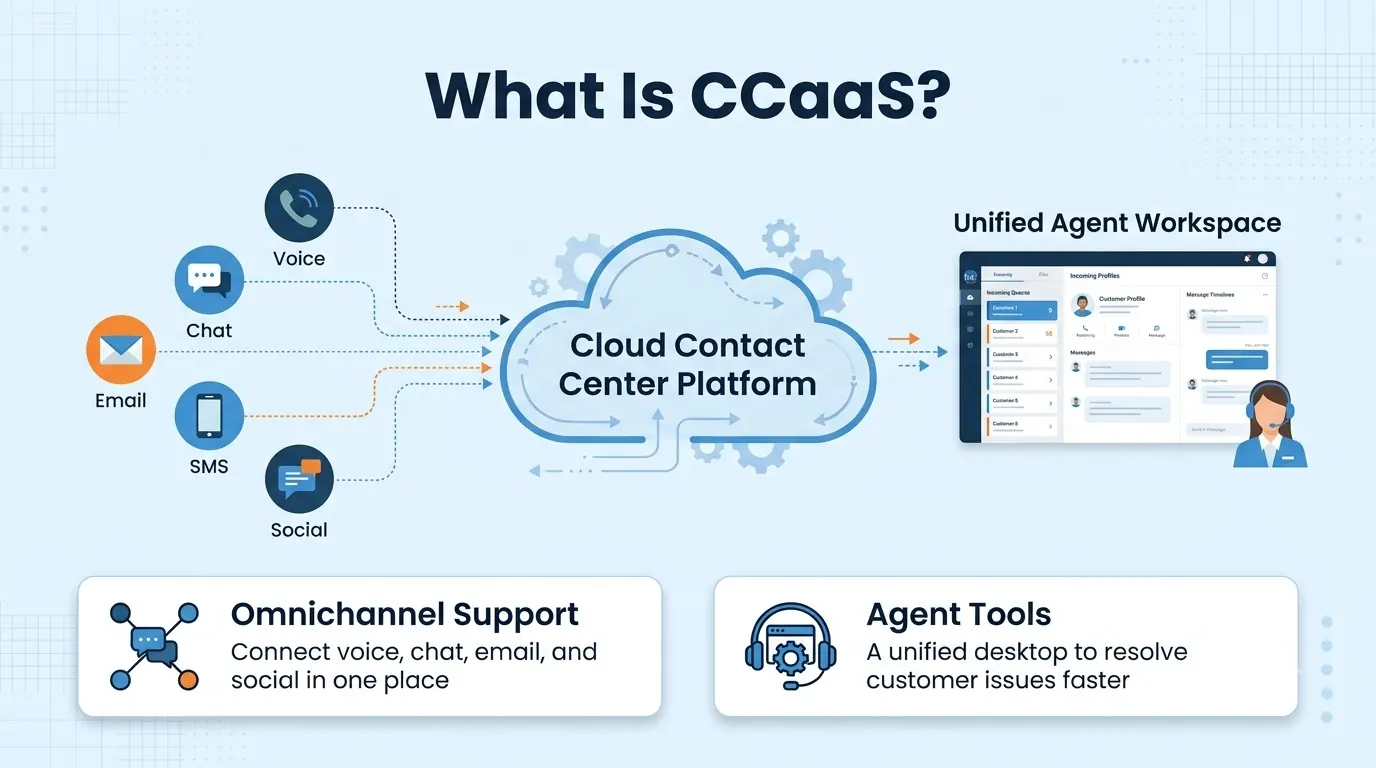
Instead of purchasing servers, telephony hardware and software licenses your company simply pays for a subscription. This is often based on an agent license.
A CCaaS platform will manage the entire customer journey. It will take the initial contact, decide where to send it, make a connection and record/report.
Most platforms will offer more than just telephony so web chat, SMS, email and social messaging can all be sent to the agents.
Common teams using CCaaS include customer support, sales, collections, appointments and any team that has high volumes of conversations with customers.
How CCaaS Works
All CCaaS platforms will function in a similar way. As the provider is hosting the platform all your team will do is set up the rules. The process is as follows:
- Customer contact - The customer makes contact with your business via a call, SMS, chat, email or social message.
- Identify needs - The platform will identify what the customer needs using a menu, form or intent detection.
- Route - The contact will be queued and directed to the correct agent/team based on availability and skills.
- Agent - The agent will have all the customer history and CRM information shown alongside their conversation. Notes can be added once the conversation is complete.
- Supervisors - Supervisors can monitor the floor using live views, recordings and reports.
Key Features of a CCaaS Platform
There can be a lot of features to consider. However, the following features will impact how you run your shift.
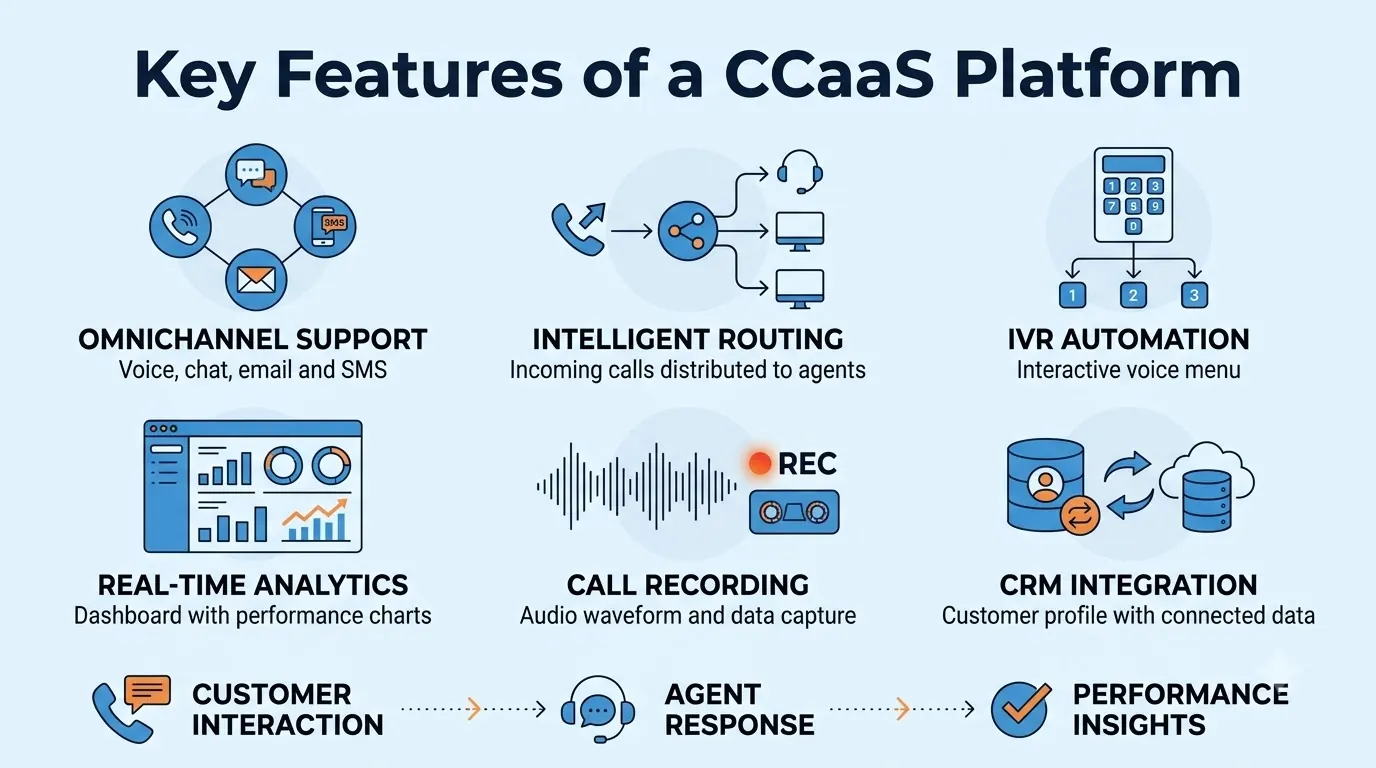
Most of these features are part of our cloud contact center and can be used as a checklist when comparing providers.
- Omnichannel queues - All telephony, business SMS, WhatsApp, Messenger, Instagram, Telegram, Viber, web chat and email will be placed into one queue. Agents can answer from one place.
- Intent based routing - Calls and messages will be grouped by intent and sent to the correct skill groups.
- Live dashboards - You can see how many calls you are receiving, how deep your queues are, average handling time, first contact resolution and CSAT so you can see who needs help on the floor.
- Supervisor tools - Listening, whispering and barging can be done on telephony and chat. Managers can coach agents.
- Call recording and searching - Calls will be recorded, transcribed and tagged. Quality teams can search for specific words like cancel or refund.
- Agent help - A live panel will appear with the live transcript, customer history and suggested answers based on your knowledge base. An after call summary can be drafted.
- CRM integration and Microsoft Teams - Integration with CRM is included. Agents can use Microsoft Teams as their phone with an underlying PBX.
You can rank these features based on what you want to solve. If customers are abandoning long queues then routing and live dashboards would be more important.
CCaaS vs Call Center Software
These terms can be confusing as they often overlap. Call center software is a general term for routing, recording and reporting.
CCaaS is a delivery method whereby it is hosted by a provider, you pay a subscription and everything is centrally updated. Our guide to call center software provides more detail about features, types and compliance.
| CCaaS | Traditional call center software | |
|---|---|---|
| Hosting | Hosted by the provider in the cloud | Installed on your own servers |
| Channels | Usually telephony with messaging, chat and email | Often telephony with additional channels |
| Updates | Updated by the provider | Scheduled by you |
| Scaling | Add or remove agents easily | Add hardware and licenses first |
| Cost | Subscription | Often pay for a license |
Most new call center software is sold as CCaaS.
CCaaS vs On-Premise Contact Centers
On-premise means you own and maintain the servers and telephony. You have full control but you also pay for everything to upgrade, repair and staff. Adding a new site or remote team often means adding new hardware and network.
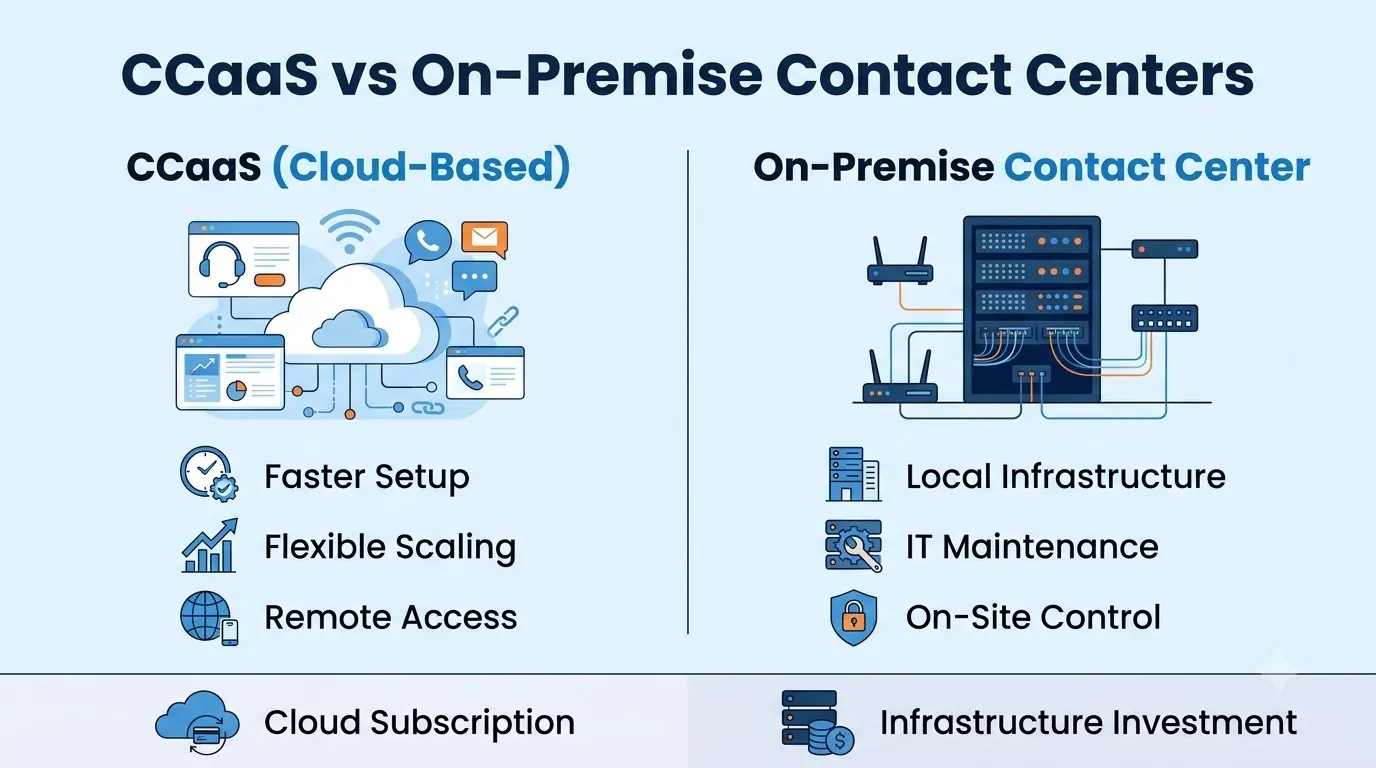
With CCaaS everything is moved to the provider. This is based on the cloud model described by NIST in The NIST Definition of Cloud Computing.
It defines essential characteristics of cloud services, service models and deployment models.
If you have policies or regulations in place that require full control then on-premise may still make sense. However, most teams will find it quicker and easier to set up CCaaS.
CCaaS vs UCaaS
Both UCaaS and CCaaS are cloud based services. UCaaS is designed for your employees with features such as calling, video, chatting and texting. CCaaS is designed for your agents with high volumes of customer contacts.
| UCaaS | CCaaS | |
|---|---|---|
| Main users | All employees | Agents and supervisors |
| Primary use | Internal collaboration and business calls | Contact center management |
| Common features | Calling, video, chatting, SMS | Queuing, routing, dialers, agent analytics |
Many companies will use both. If your provider offers both solutions then you won’t have to worry about managing two vendors.
Benefits of CCaaS
The benefits come from the cloud based model and having all channels in one place.
- Quick to set up - No hardware to purchase, install or store.
- Scale easily - Add more agents during busy periods and remove them.
- Remote ready - Your agents can work from anywhere with internet access.
- Single source of truth - All channels feed into one queue.
- Easier to supervise - Live dashboards, monitoring and searchable recordings will help with coaching.
- Less maintenance - Everything is updated by the provider so your team can focus on providing a great service.
How to Choose a CCaaS Provider
Start by considering how many agents you have, what channels your customers use and where issues occur. Then use this checklist:
- Channels - Ensure all channels your customers use feed into one queue.
- Routing and queuing - Ensure skills based routing, callback and overflow can be set up to match your real call flows.
- Supervision - Ensure you can live monitor, record and search transcripts.
- Integrations - Ensure you can integrate with your CRM and helpdesk. What information is shared between the two?
- Security - How are your recordings and transcripts stored? How long are they kept for? Get this in writing.
- Try it with real agents - Try a trial with real agents. Teloz offers a trial from our contact center page.
Ask about the overall cost. Setup, extras, additional channels and support. Rarely will the cheapest option for the first month be the cheapest over the year.
“Most issues will be due to people not knowing where to find certain features.”
Implementing CCaaS With No Disruption
Carefully planning your rollout will ensure you don’t lose any calls. To start with write down your current queues, call flows and numbers.
Then recreate these in your new platform. Set up a pilot team to try it out with real contacts.
Keep your existing system running until the pilot team is running smoothly.
Only transfer your numbers when your routing, voicemail and reporting is working how you need it to. Train your agents and supervisors. Most issues will be due to people not knowing where to find certain features.
Conclusion
CCaaS provides a full contact center solution via a cloud based subscription. The queues, routing, recording and reporting are all handled by the provider. It is slightly different to traditional call center software but very different to UCaaS.
Write down your agents, channels and integrations. Ensure you can supervise and secure your data. Try it with real contacts and your implementation will be easier to run than your current system.


